Google PPC
 December 16, 2025
Local businesses often have a live GMB listing but little traction. The profile exists, yet customers don’t call. Footfall stays low. The reason is usually simple. The profile is incomplete or poorly optimised.
Many GMB profiles lack key details. Photos are missing. Descriptions are generic. Categories are wrong. These gaps stop Google from showing your business to nearby customers. Worse, they confuse potential buyers.
Google Business Profile (formerly Google My Business) is a free and powerful tool. When you optimise it, you can attract searchers ready to buy. It drives clicks, calls, and visits without an ad budget. A professional search optimisation firm can help you with this.
The steps below need no paid ads. They need time and a plan. You do the work once and reap long-term returns. By the end of this blog, you’ll know how to wake a dormant GMB profile and turn it into a steady source of leads.
Understanding the Power of Google My Business for Lead Generation
GMB is a public business listing that appears in Google Search and Maps. It shows your name, address, hours, reviews, photos, and more. For local shoppers, it’s often the first interaction with a brand.
The local pack sits above organic results. It commands attention. Being in the local pack multiplies your chance of getting customers. Millions of queries include “near me” or a city name. When your profile ranks in the local pack, you gain prime visibility.
Users rely on GMB to check reviews, call, and get directions. In fact, studies show many local searches lead to same-day visits and quick purchases. In fact, here are some numbers provided by iMark Infotech Pvt. Ltd. for a better understanding
- 46% of all Google searches are looking for local information.
- 76% of people who search for something nearby on their smartphone visit a business within 24 hours.
- 28% of those searches result in a purchase.
The local pack list tops local businesses for a query. Google picks them based on relevance, distance, and prominence. Ranking there multiplies visibility and clicks. GMB signals directly feed Google’s local ranking algorithm. A complete, accurate and active profile tells Google you’re a real business serving local customers.
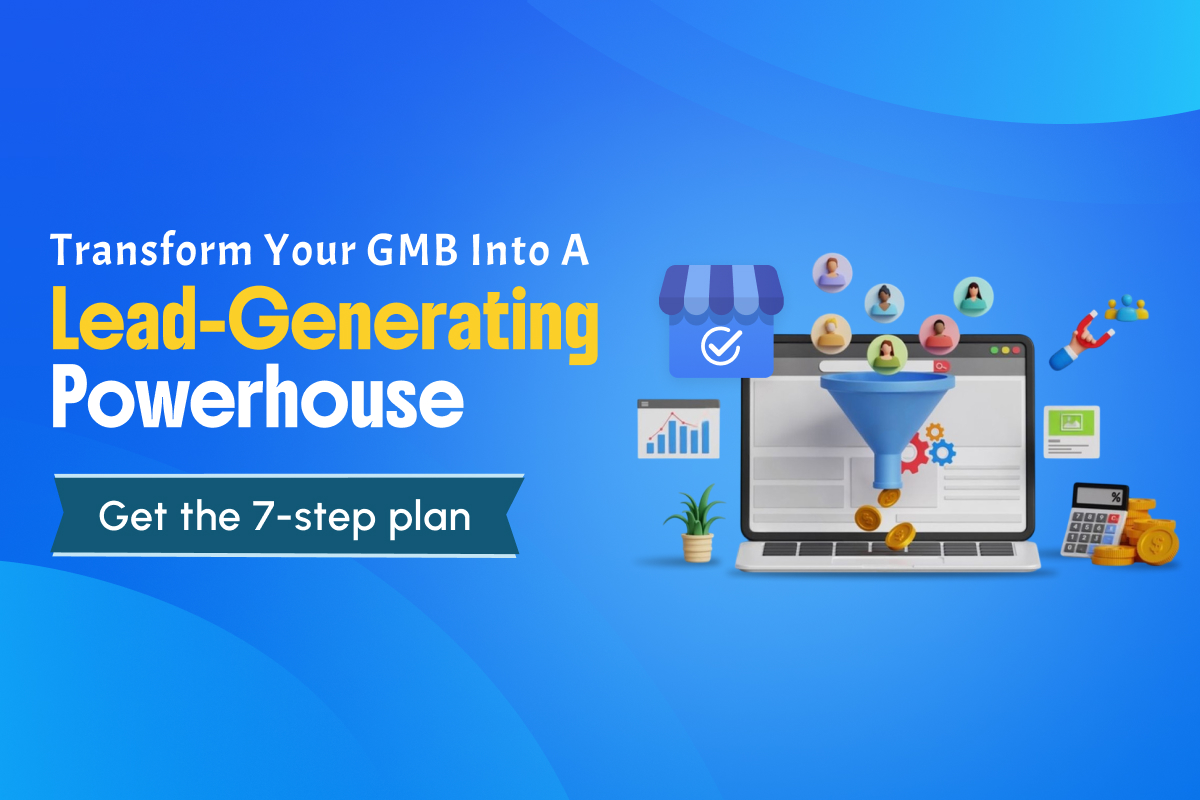
7 Simple Steps to Increase Leads From GMB for Free
These simple steps show how small, consistent improvements to your Google Business Profile can turn casual local searches into real calls, visits, and enquiries. Let’s break down each step and see how you can start applying them today, one practical action at a time.
Step 1 — Complete and Optimize Your GMB Profile Information
A full profile signals legitimacy. Google prefers complete entries. Customers trust them more. Complete profiles often rank higher in local searches. Fill every field.
- NAP Consistency – Use the same business name, address, and phone across your site and directories. Inconsistent NAPs confuse search engines and customers.
- Categories – Choose one accurate primary category and several relevant secondary categories. Pick categories that your customers would search for.
- Business Description – Write a clear, keyword-rich description. Explain what you do and who you help. Keep it natural and local. Mention neighbourhoods, city names, and services.
- Attributes and Details – Add hours, holiday hours, payment methods, and accessibility features. These small details help users decide quickly.
- Website URL – Use a properly formatted website link. If you have service pages, link directly to the most relevant one.
- Service Areas – For service businesses, define service areas. This helps Google match you to nearby searches without exposing a home address.
Step 2 — Upload High-Quality Photos and Videos Regularly
Visuals build trust and prompt action. RIOSEO states that listings with photos receive 42% more direction requests. The website clicks also increase by 35%. Visuals let customers see your space, products, and team.
Add storefront shots, interiors, product images, team photos, and before/after galleries. Get customer permission for photos of people. Short videos work well. Try a virtual tour, a brief service demo, or a quick team intro. Videos increase engagement.
Use well-lit, crisp images. Avoid low-resolution snaps. Keep content current; swap outdated images. Upload new images monthly if possible. Fresh content tells Google your business is active. Name files with descriptive keywords and locations, like “kitchen-remodel-delhi.jpg.” Use recommended dimensions to ensure a clear display.
Also read: Local SEO Guide For Multi-Location Brands
Step 3 — Actively Manage and Respond to Customer Reviews
Reviews affect trust and rankings. They influence buying decisions and feed local ranking signals. Aim for steady reviews over time. A consistent stream looks more authentic than sudden spikes.
Thank reviewers. Reference specific details from their visit. A short, personal reply shows you care. Ask customers right after a positive interaction to leave a review. You can also use follow-up emails or receipts with a direct review link. Keep the process simple.
Stay calm while handling negative reviews. Acknowledge the issue and offer a practical next step. Move discussions offline when needed. Prospective customers read your responses as much as the review itself.
Step 4 — Leverage Google Posts for Regular Engagement
Google Posts are short updates that appear on your profile. Posts let you share offers, events, and news. They show up directly in search and maps. You can use posts to promote offers, announce events, and share product updates.
Keep the post frequency regular. Ir ignals activity. Aim for weekly or bi-weekly updates. Use clear headlines, short copy, a direct CTA, and a relevant image. Keeping them scannable attracts more readers.
Fresh posts show Google you’re active. They also give users a reason to engage now. Keep the CTAs action-focused. Phrases like “call now” or “book an appointment” work best.
Step 5 — Optimize and Monitor the Q&A Section
Q&A is visible and searchable on your profile. Users ask questions directly on your listing. Answers appear publicly. Add common questions yourself with answers. Think pricing, hours, booking, and guarantees.
Monitor constantly. Watch for new questions and answer quickly. Prompt replies build trust. Place natural keywords in answers where relevant. Keep responses helpful and concise. Flag irrelevant or abusive content. Report spam questions.
Step 6 — Utilize GMB Insights to Track Performance
Insights give free analytics on profile activity. Access Insights in the Google Business Profile dashboard. Look at discovery vs direct searches, clicks to website, calls, and direction requests. Track photo views and popular times.
Use data to act. If calls spike on certain days, staff will respond accordingly. If a post drove traffic, repeat that content style. Identify queries that bring users to your profile and adapt your copy accordingly.
Step 7 — Add Special Attributes and Features
Attributes and features reduce buyer friction. Common features include messaging, booking buttons, product listings, service menus, and appointment links. They let customers act without extra steps. That increases conversions.
You can turn on messaging to let customers ask quick questions. Reply fast. Connect your scheduler for direct bookings through buttons to shorten the path to purchase.
List services with descriptions and prices. This sets expectations and filters serious leads. Add relevant badges like “women-led” or “wheelchair accessible.” These can matter to specific searchers.
Take Your Local Visibility to the Next Level With Professional SEO Support
These seven steps boost visibility and trust. They focus on the information users need and the signals Google values. The steps cost no ad spend, but they need time and consistency. Small businesses may find the work steady and detailed.
If time is short, hire a search optimisation firm. They set up local keywords, posts, Q&A, and review flows to deliver steady leads. Contact them to start a quick audit. Look for a team that acts like a partner. Ask for clear case studies and monthly reports.
For cost-conscious buyers, consider an SEO agency in India. Many such teams specialise in affordable SEO for small businesses and still follow white-hat methods. One such example is the Indian SEO Company. We offer local SEO, reputation management, and full digital marketing.
We have optimised profiles for many local brands and helped those businesses increase calls and visits. Contact us today for a free consultation and GMB audit. Let’s turn your Google Business Profile into your most powerful lead generation tool. Get started today.